Odoo Studio for Community – No-Code Customization & App Builder for Odoo
Odoo Studio for Community is a no-code customization module for Odoo Community Edition that helps teams create fields, edit views, automate workflows, and build custom apps without developer-heavy implementation. It is designed for businesses that want faster Odoo customization with lower development cost and easier day-to-day maintenance
✨ Core Features
No-Code App Builder: Build tailored Odoo applications using a visual interface with ease.
Visual View Designer: Modify forms, lists, kanban boards, and pivot views with drag-and-drop simplicity.
Workflow Automation: Automate business processes with conditional triggers and smart actions.
Custom Fields & UI Elements: Add fields, buttons, and smart buttons to any model easily.
Reports & Dashboards: Create custom reports and dashboards to surface key business metrics.
Menu & Navigation Editor: Rearrange menus or create new navigation structures to match your business flows.
Import/Export Customizations: Transfer configurations between Odoo instances seamlessly.
📈 Business Benefits
Odoo Studio for Community democratizes ERP customization by enabling non-developers to adapt Odoo to unique business needs. This dramatically reduces development cost and time, increases user adoption, and empowers teams to rapidly prototype or automate processes that are critical to operational success.
Whether you're tailoring CRM workflows, building custom reporting tools, or designing unique applications for your business, this module extends the flexibility of Odoo Community Edition far beyond its default capabilities.
Detailed Features
Go beyond basic field creation and use Odoo Studio for Community to shape every part of your business workflows, from data structure to on‑screen experience and automation logic.
Model & Data Structure Control
- Create completely new business models to cover custom processes that do not exist in standard Odoo.
- Extend existing Odoo models with additional fields, relations and constraints tailored to your data.
- Organize fields into logical groups and sections so forms stay clean and easy to use for end users.
View Management for Every Team
- Design dedicated form, tree and kanban views for different user roles or departments.
- Reorder, hide or show fields per view without touching the Python code base.
- Control search filters and group‑by options so users can quickly find the records they need.
Guided User Experience
- Add tooltips and helper texts directly on forms to guide users through complex fields or steps.
- Configure default values and smart domain filters to prevent data entry mistakes.
- Use conditional visibility so users only see fields and buttons that are relevant to their context.
Governance & Change Management
- Test new customizations safely in a staging or duplicate database before rolling changes to production.
- Document changes with internal notes so your team knows why each customization was added.
- Quickly disable or adjust individual tweaks if a process or requirement changes in the future.
Odoo Studio for Community
Buy Once use Forever
Build and Customize your Business App on the fly without any technical knowledge
Video
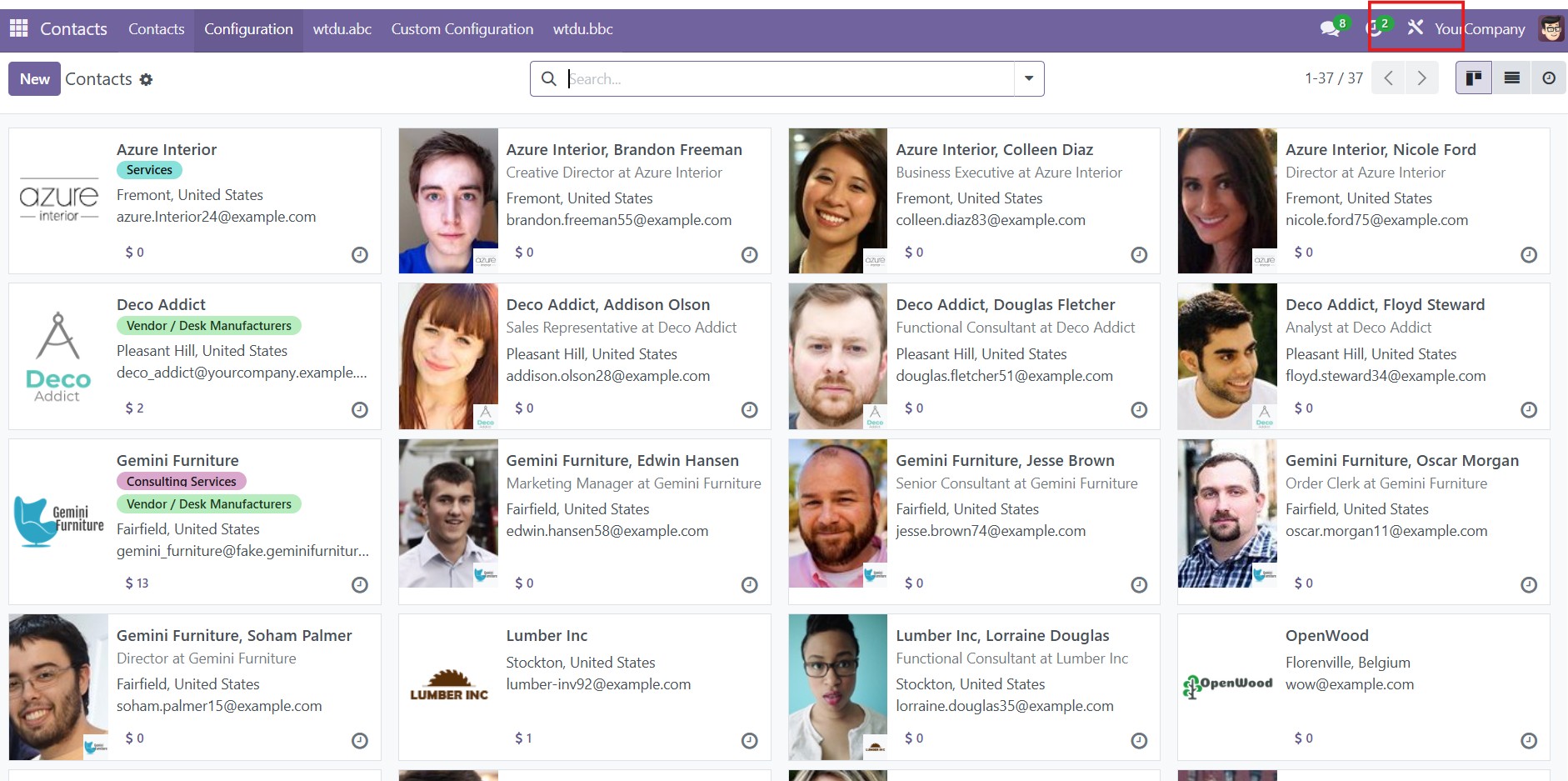
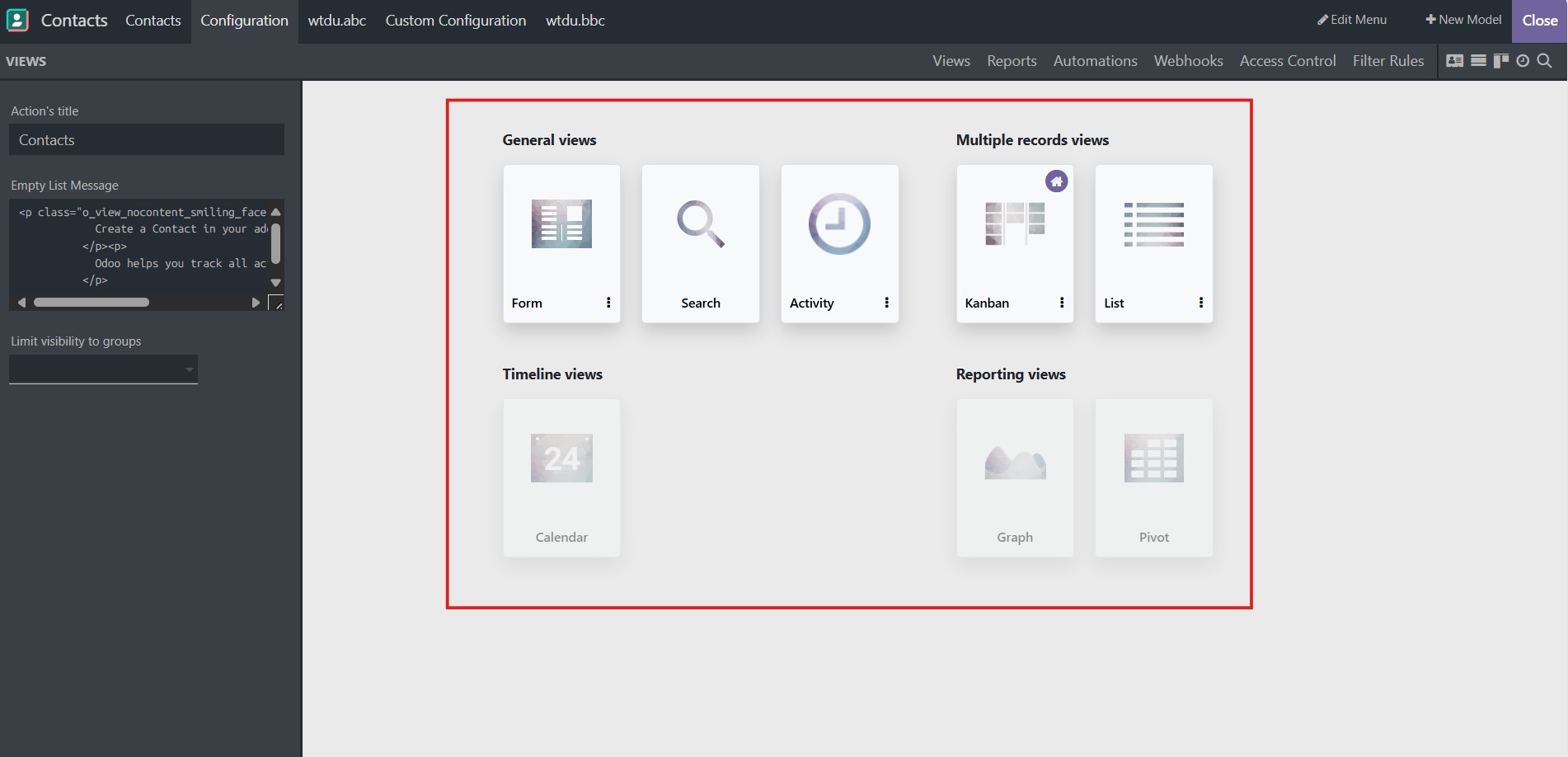
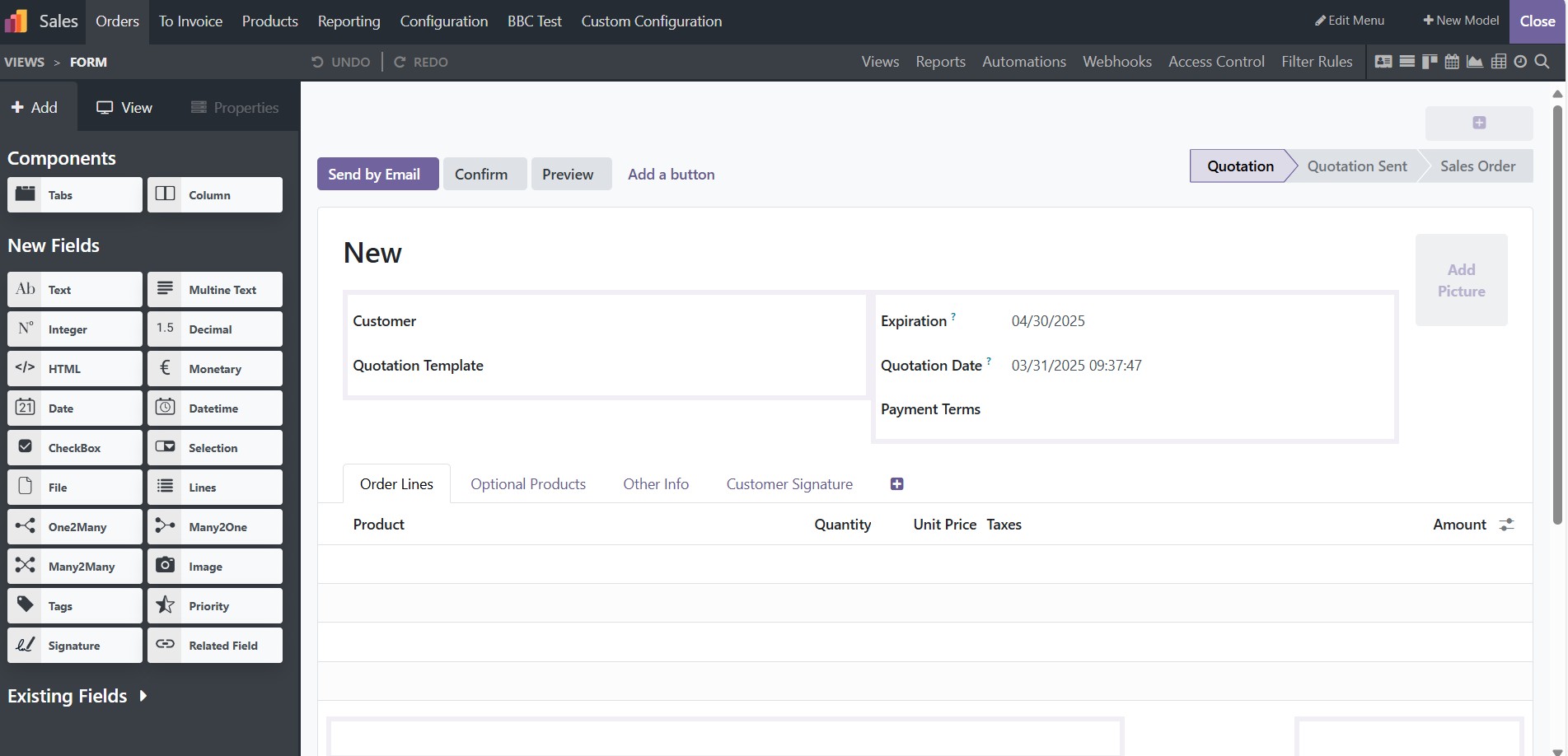
Build and Customize Views
Manager Form View
Support create/edit fields, buttons, group, notebook, button approval, button confirm, icons, style ...
Manage Tree View
Support show/hide more columns, search in tree, setup line color, sort, order, limit, conditions ...
Manage Kanban View
Support create/edit kanban view, add more fields, style, set groups, orders ...
Manage Pivot View
Support add more measures, cols, groups, display count, link, stacked ...
Manage Calendar View
Support change start - end - delay date, colors, popup, mode, quick add, hide time ...
Manage Graph View
Support add more measures, cols, groups, change mode type (pie, bar, stacked bar, line) ...
Manager Activity View
Support create activity view...
Manager Search View
Support create/edit search view, change automations field, filters, groups ...
Odoo Proprietary License v1.0
This software and associated files (the "Software") may only be used (executed,
modified, executed after modifications) if you have purchased a valid license
from the authors, typically via Odoo Apps, or if you have received a written
agreement from the authors of the Software (see the COPYRIGHT file).

You may develop Odoo modules that use the Software as a library (typically
by depending on it, importing it and using its resources), but without copying
any source code or material from the Software. You may distribute those
modules under the license of your choice, provided that this license is
compatible with the terms of the Odoo Proprietary License (For example:
LGPL, MIT, or proprietary licenses similar to this one).

It is forbidden to publish, distribute, sublicense, or sell copies of the Software
or modified copies of the Software.

The above copyright notice and this permission notice must be included in all
copies or substantial portions of the Software.

THE SOFTWARE IS PROVIDED "AS IS", WITHOUT WARRANTY OF ANY KIND, EXPRESS OR
IMPLIED, INCLUDING BUT NOT LIMITED TO THE WARRANTIES OF MERCHANTABILITY,
FITNESS FOR A PARTICULAR PURPOSE AND NONINFRINGEMENT.
IN NO EVENT SHALL THE AUTHORS OR COPYRIGHT HOLDERS BE LIABLE FOR ANY CLAIM,
DAMAGES OR OTHER LIABILITY, WHETHER IN AN ACTION OF CONTRACT, TORT OR OTHERWISE,
ARISING FROM, OUT OF OR IN CONNECTION WITH THE SOFTWARE OR THE USE OR OTHER
DEALINGS IN THE SOFTWARE.
